
NoTabsConfusion
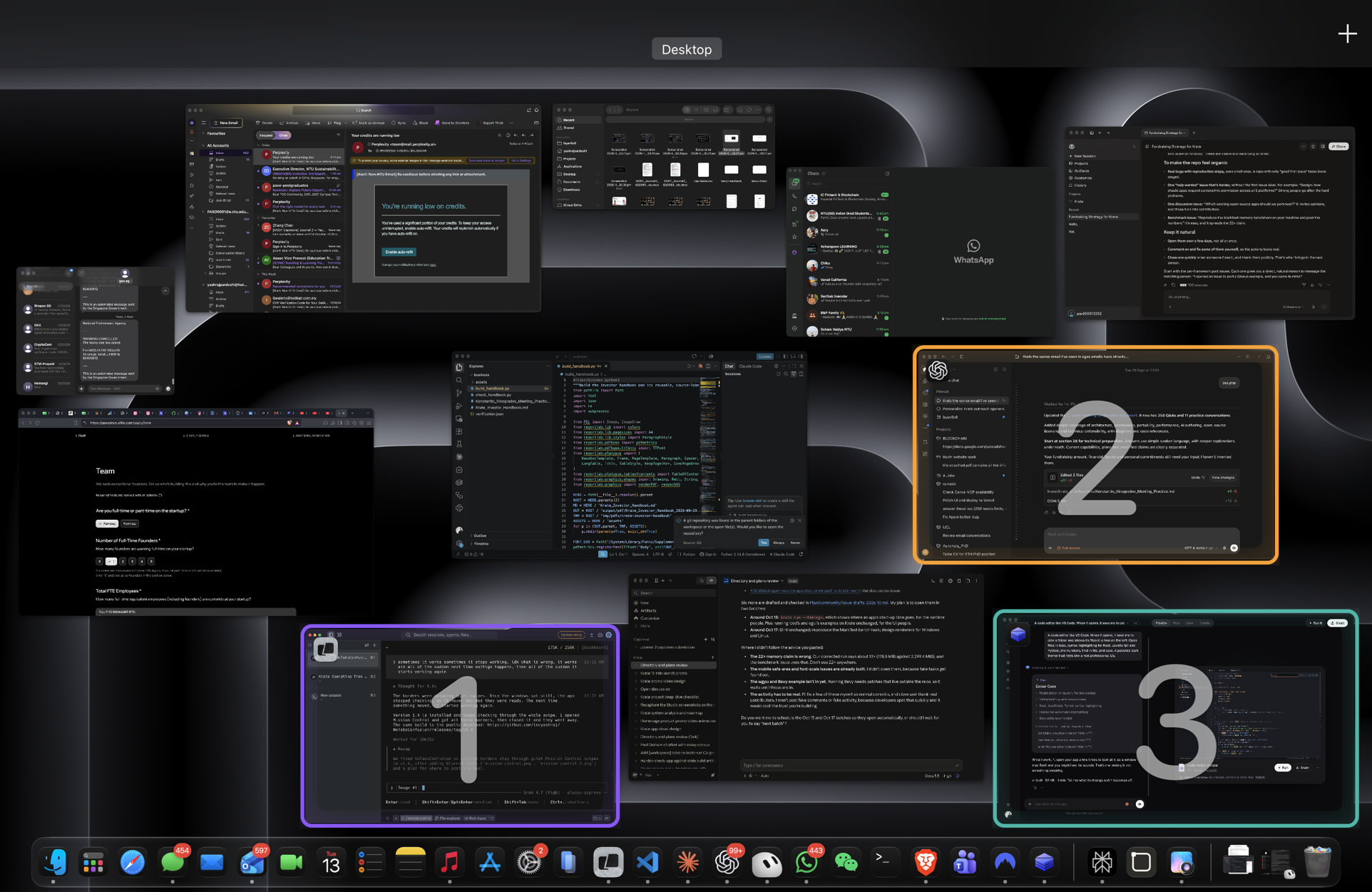
Swipe up with four fingers and Mission Control shows every open window. Most apps are plain black or white, and the windows change place every time you swipe.
This keeps a set color on the three you used last, so you can see where you came from and where you were going.
- The one you just left: purple.
- The one before that: amber.
- The one before that: teal.
In Mission Control
The last three windows keep their color and a number.
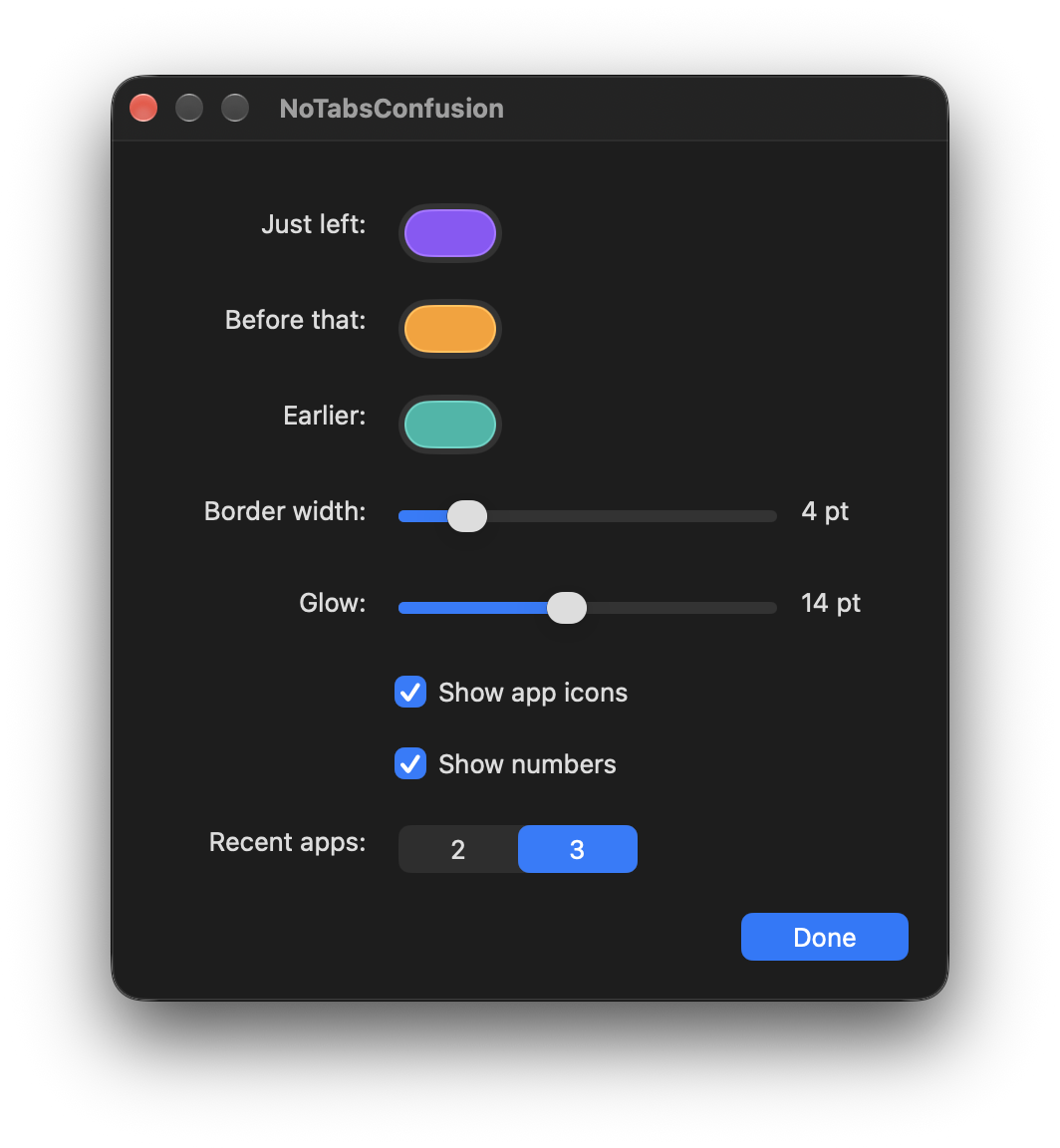
Preferences
The colors, the border, the glow, and the numbers can be changed.
Install
- Unzip the download and move NoTabsConfusion into Applications.
- Open it. A window named NoTabsConfusion opens, and NoTabs shows in the menu bar. Close the window and the app stays there.
- Allow access when macOS asks, so it can see which window is in front. It also needs Accessibility.
Privacy
No account, no ads, and no network requests. Window frames and app icons stay on your Mac. Privacy note.